- Use exclusive to JET+ branding. Only use JET+ branding for content that uses JET+. It will allow users to easily find and recognise JET+.
- Get in touch for new content. If you're working on JET+ content and need something additional, get in touch and we can work with you to produce it!
Just Eat +
Just Eat Plus visual identity covers the product style guide to use, create and maintain Just Eat + components and brand assets for a consistent visual language.
Overview
Just Eat+ is Just Eat Takeaway's subscription-based loyalty proposition that offers exclusive benefits such as 'free delivery', 'members-only discounts' and 'offers & rewards' from participating restaurants, grocery stores and other partners.

Brand principles
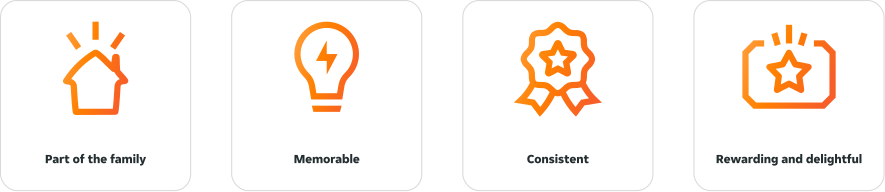
Our Just Eat+ brand is an extension of our core brand. As such it should use JET's visual language and feel like part of the JET family.
It should also be memorable and be used consistently throughout our UI to allow users to familiarise themselves with Just Eat+ as a sub-brand.
And lastly, it should always aim to feel rewarding and delightful to users. Just Eat+ should feel special, and always feel more than our typical product experience.
- Part of the family
- Memorable
- Consistent
- Rewarding and delightful
Defined by gradients
Our Just Eat+ identity is defined by our use of gradients. We don't typically use gradients in our product experience. By using this simple addition to our UI we are able to call out 'special' content, we also do this with our AI content.
Our gradients are designed to complement and be used alongside our supportive brand colours 01 and 02.

Dos and Don'ts
- Don't make changes to the gradient. All gradients have specific uses, if you need something different, get in touch.
- Don't apply gradients on top of other gradients. Gradient usage needs to be intentional. Please do not overlay gradients with other gradients (for example, AI).
Logos
We use two logo variants for Just Eat+, primary and secondary. These should be the only two Just Eat+ logos used in any UI elements within product.
The 3D asset of our logo is treated as an illustration and should not be used in any functional context. You can find out more information about this asset in the Imagery section.
Logo variants
We use two logo variants for Just Eat+, primary and secondary. They should be used in the same way we use all other logos in our system.
Our primary logo is our logo by default. This should be used for most use cases in product.

Our secondary logo is created to be seen at a smaller size and therefore should only be used for small UI elements where we would normally use a 12-16px icon, such as tags.

Gradients
There are five main gradients available for JET+. We have three brand gradients, these are gradients that define the JET+ brand vary from strong to subtle.
Our two support gradients are additional gradients that can be used in containers and page or screen backgrounds to support JET+ content.
JET+ gradients must be applied to neutral backgrounds, we never use gradients over other gradients.
Direction and angle
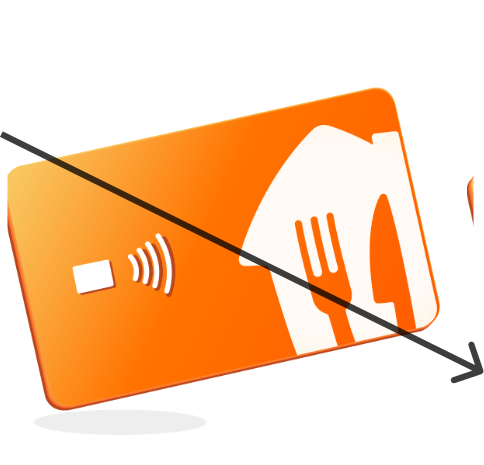
Our brand gradients follow the same light direction as our illustration set. The lightest point of our gradient is at the top-left and the darkest point sits at the bottom-right. This equates to a 140° angle in css.
The angle of the gradients should never be changed, doing so will detach the gradient style from the one in our system and effectively create a new gradient.
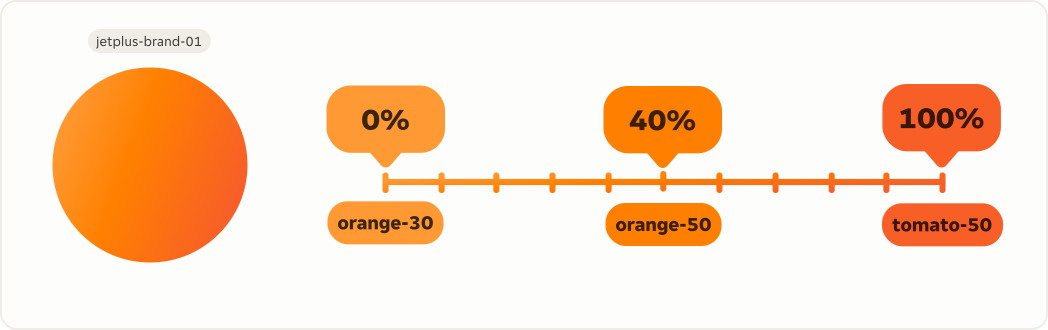
JET+ 01 brand gradient
The token $jetplus-brand-01 is our main brand gradient and the strongest of the three brand gradients created for JET+. It is made up of three global tokens including our brand 01 orange colour at the centre of the gradient.
The token $jetplus-brand-01 should only be used for borders and small UI elements and care should be taken when dealing with content that needs to be accessible. It doesn't switch between light and dark theme to retain a strong brand identity.
Light mode for JET+ 02 and 03 gradients
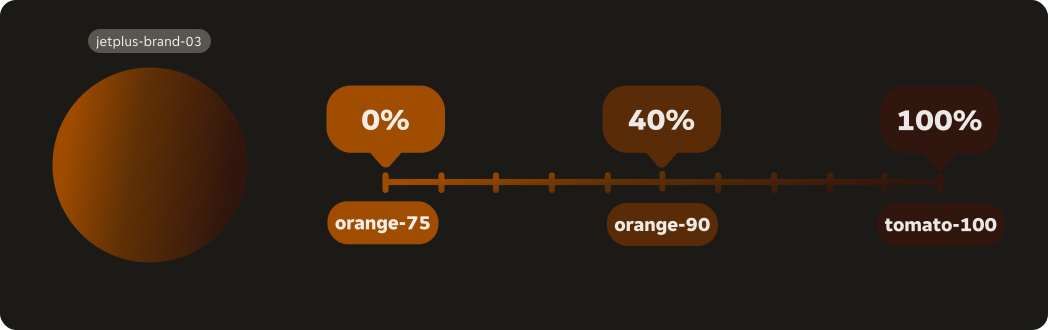
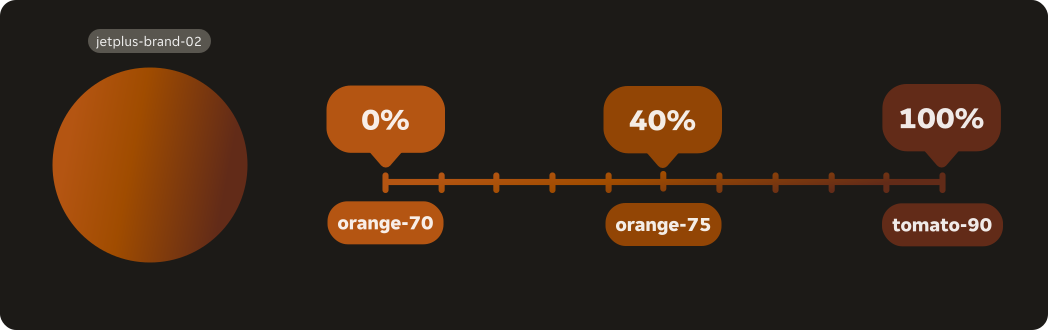
The tokens $jetplus-brand-02 and $jetplus-brand-03 are additional brand gradients that are more subtle than $jetplus-brand-01, and can therefore be used for containers and larger UI elements along with text.
Use the token $jetplus-brand-03 as default in containers, this will better ensure contrast accessibility with text.
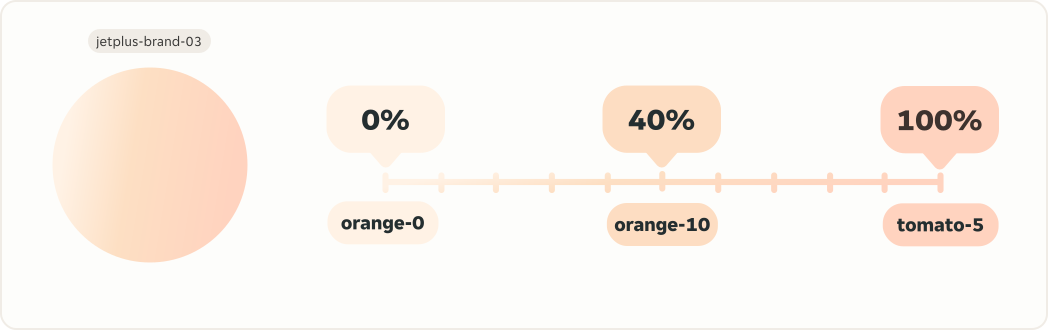
Use $jetplus-brand-02 only in areas where you need a stronger brand identity as it is slightly darker. For example, in our braze marketing container.
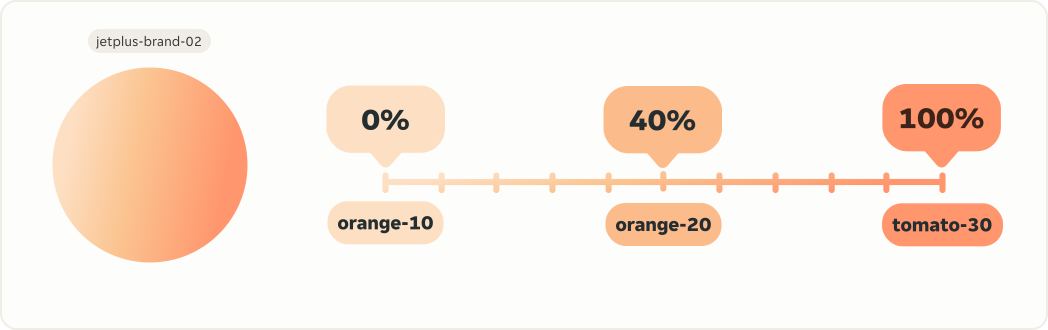
Dark mode for JET+ 02 and 03 gradients
Both jetplus-brand-02 and jetplus-brand-03 switch in dark theme to equally subtle tones that work well in dark theme, are both accessible with light text and also still communicate our brand identity well.
Light mode for JET+ support
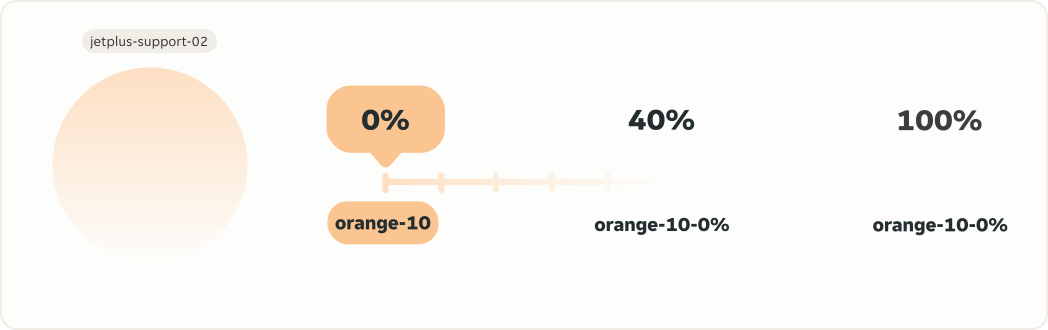
Our support gradients; $jetplus-support-01 and $jetplus-support-02 are additional support gradients that have been designed to be used in backgrounds and large, screen size containers. They are both very subtle, with $jetplus-support-01 being a more neutral gradient and $jetplus-support-02 being more brand focused. Both gradients fade into transparency, but we suggest using both alongside background tokens.
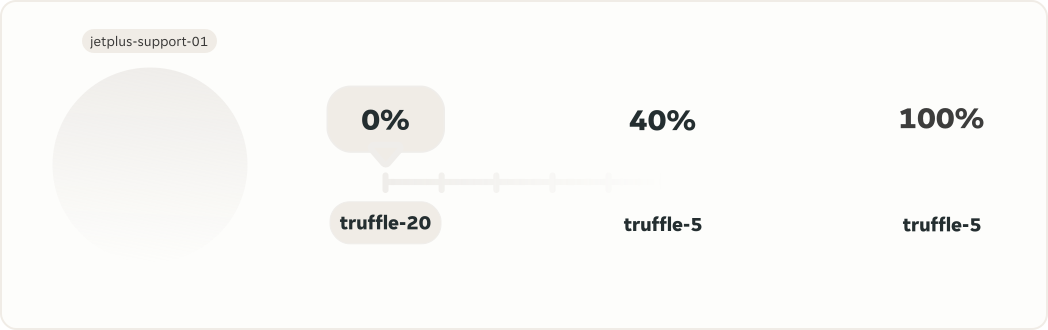
Dark mode for JET+ support
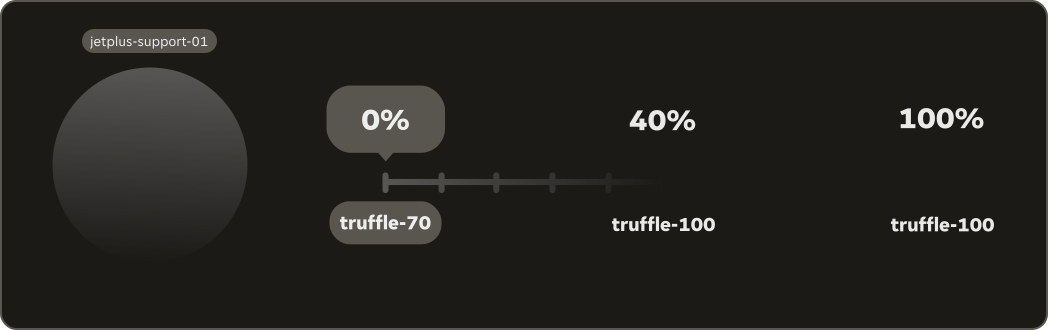
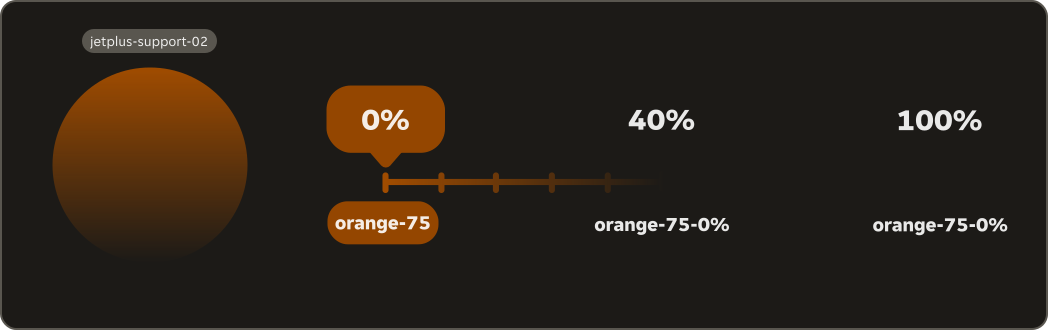
Our support gradients; $jetplus-support-01 and $jetplus-support-02 both switch in dark theme equally subtle tones that work well in dark theme, are both accessible with light text and also still communicate our brand identity well.
Colours
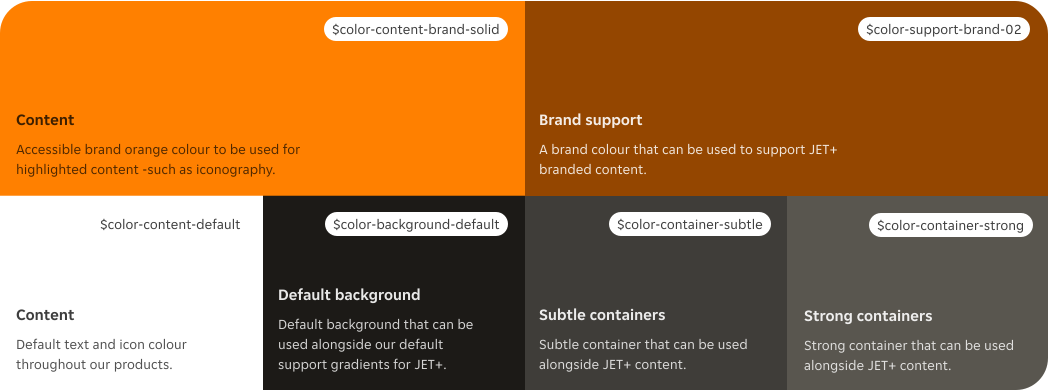
Just Eat Plus should primarily be communicated using gradients, however, a number of colour foundations to be used to support the sub-brand.
Colours light mode
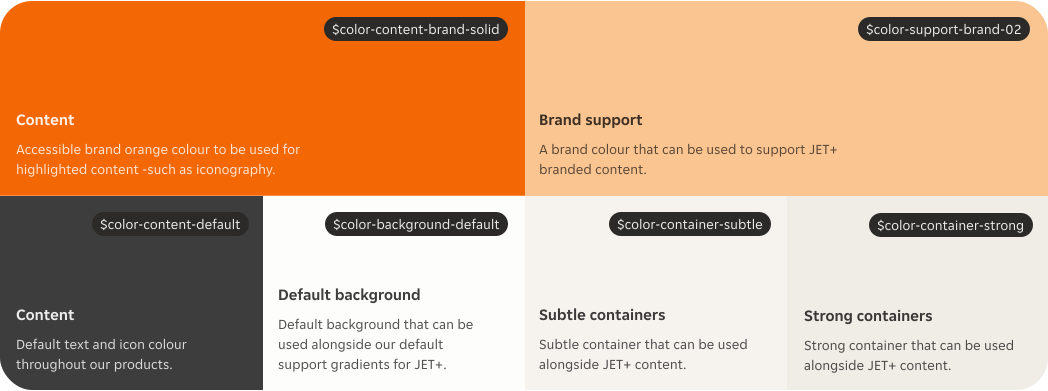
We support our gradients by using it alongside the brand colour $support-brand-02. For content we typically use a mix of $content-default and $content-brand.
We stick to using orange tones only for JET+ content.
Colours dark mode
In dark theme our colours maintain the same cohesive brand identity and work well with the dark theme version of our gradients.
Typography
Just Eat+ uses bold, high-impact, italic headings as part of its core brand identity.
In our design system these are all italic headings from XXL to XS, dependent on the hierarchy of content.
Please use narrow or wide respective of the context you're designing for.
Offset
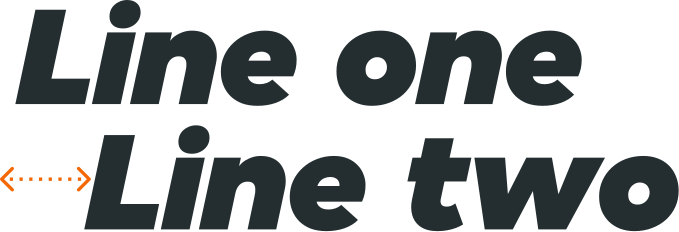
In some areas of our product where we use heading text on two lines and need to have a greater impact we can offset our typography and use alignment in a more expressive and playful way. This is aligned with our global refresh.
For implementation into product this may need to be vectorised into an SVG format depending on where it's being used.
Please talk to the Design System team to see how we can help support offset type.
Imagery
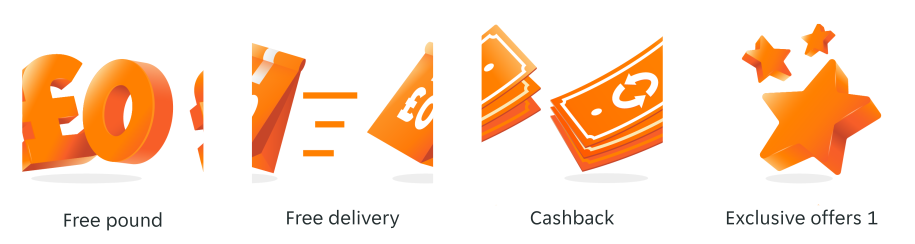
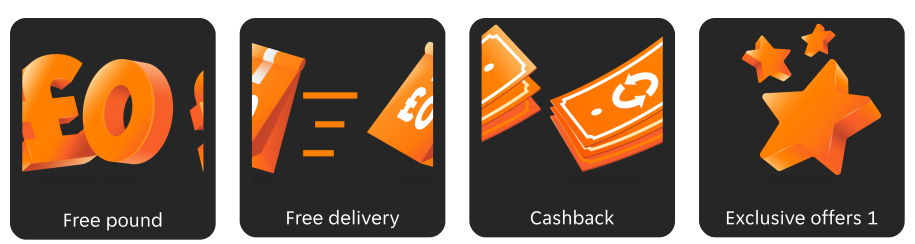
We use a set of imagery created especially for our Just Eat+ brand. These are defined by a faux 3D effect and the use of gradients to bring the illustration to life.
You can find these in our illustration library separated from our other illustrations style.
Illustrations in light mode
A few examples of our JET+ illustrations in light mode.
Illustrations in dark mode
A few examples of our JET+ illustrations in dark mode.
3D assets
We also use specially created 3D assets as part of our Just Eat+ Branding. These are created using Cinema 4D and are implemented into product as .webp files.
Our 3D logo should be used in imagery, marketing and braze content and should never be used to replace Just Eat+ logo assets in components or functional areas.

Patterns
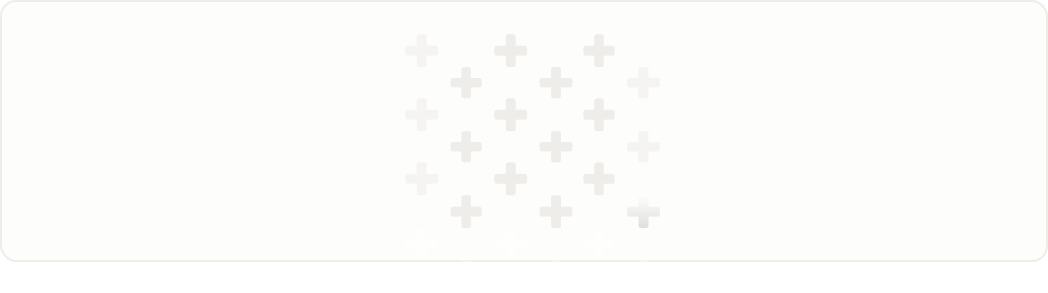
We can also use the 'plus' pattern to add a bit of magic to braze and marketing content. These sit behind images to add more depth to the artwork and also serve to reinforce our brand identity.
Components
Our JET+ component library sits under the Customer library within our Business Area folder.
It has been made specifically for JET+ sub-branded components that are used within the customer experience to communicate, call out or visually indicate JET+ specific content.
Button
The JET+ button is a clickable element in a user interface that triggers an action when pressed.

Offer tag
The JET+ offer tag is a small visual element used to represent JET+ offers within a user interface.

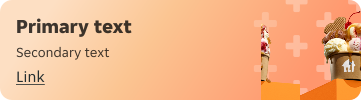
Braze banner
A JET+ branded container with an image and CTA, used to market and advertise JET+ branded content.
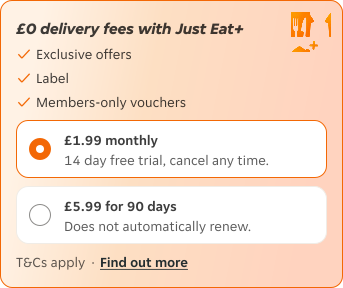
Delivery container
The delivery container is an element used for upselling JET Eat+ delivery choices to users.
Callout container
The callout container is used to display brief messages to users about JET+ or their JET+ subscription, within a user interface.

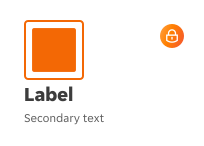
Card
The card is used to highlight benefits the user could gain through JET+.
Motion
We use motion to inject an extra layer of reward and delight into our brand identity. Letting users feel like they've gained more in the product experience by signing up to JET+.
We use motion as a celebration, when a customer subscribes to Just Eat+.
Confetti
To mark a celebration, reward or new subscription to JET+ we congratulate the customer with a delightful confetti animation.
The confetti animation for JET+ uses JET+ branded colours and includes plus and star shaped confetti, making it visually different to other reward moments in our apps.