Gradients
Gradients are a type of style that are made up of two or more colours and can be used for backgrounds, containers and small UI elements.
Overview
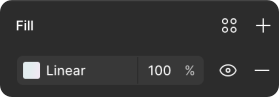
Gradients are a type of style that are made up of two or more global colour tokens that fade from one into another, set at stops between 0-100%. We use primarily linear gradient styles for use in backgrounds, containers and smaller UI elements.
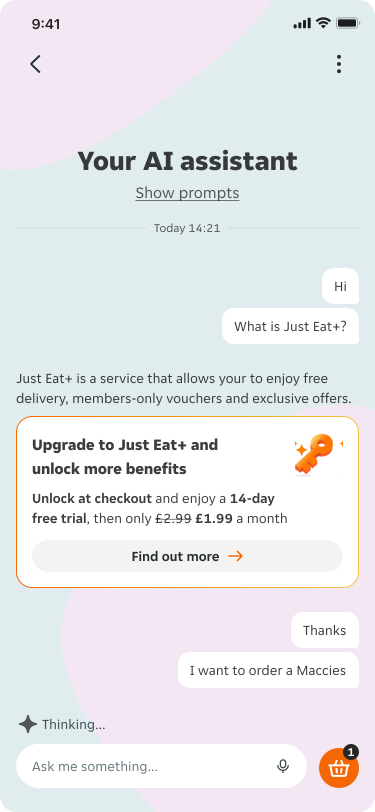
We use gradients to signify and visually communicate ‘special’ content in our products, like messaging, imagery and motion related to our sub-brands, Just Eat+ and the Just Eat AI Assistant. Because of this, please don't use gradients to convey other meanings in product.

Anatomy
A gradient is always made up of at least two colours at defined stops. A stop is the point at which a gradient changes from one colour to the next and are communicated as percentages on a scale of 0-100. Our gradients always have a stop at 0% and 100%.
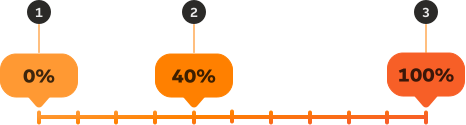
- 0%: The first stop used in the gradient, this is always 0%.
- Additional stops (optional): These can be any additional stops used in the gradient on a scale of 1-99. This can include multiples of the colours used at either 0% or 100% to create different gradient effects.
- 100%: The last stop used in the gradient, this is always 100%.
Using gradients in your products
If you’re using gradients that belong to JET AI or JET+ we highly suggest you check out our Core JET AI documentation and JET+ documentation for how to use these specific gradients for their intended purpose.
Choosing the right gradient
As a rule we use stronger gradients for small UI elements and borders in components, and more subtle gradients for backgrounds in containers and cards. Please do not use stronger gradients for backgrounds and vice versa.


Applying gradients
Use in specific approved components
Please do not use gradients that have been specifically created as part of the visual identity of our sub-brands (such as AI or JET+) for other content or use cases in our products. Gradients created for a sub-brand should always be used for their specific purpose.

Don't use gradients in text
We do not recommend using gradients for text currently as none of our gradients have been tested on text and this can have a big impact on accessibility. Please use any of our content colour tokens for text.


Pair with solid colours which complement the brand
We highly encourage using gradients alongside solid brand, container and background colours, to maximise the impact of the gradient. We suggest avoiding using too many gradients together as this can feel overwhelming.


Mixing gradient sub-brands
Using JET+ and AI together
In places where we need to mix two visual identities that include gradients please ensure that there is a clear hierarchy in content. For example, in the AI assistant we use just the gradient border on the JET+ card to nod to the brand without the two identities clashing.