Modal
A modal is a surface that overlays the page’s main content and is used to display information, gather input or confirm actions.
Example
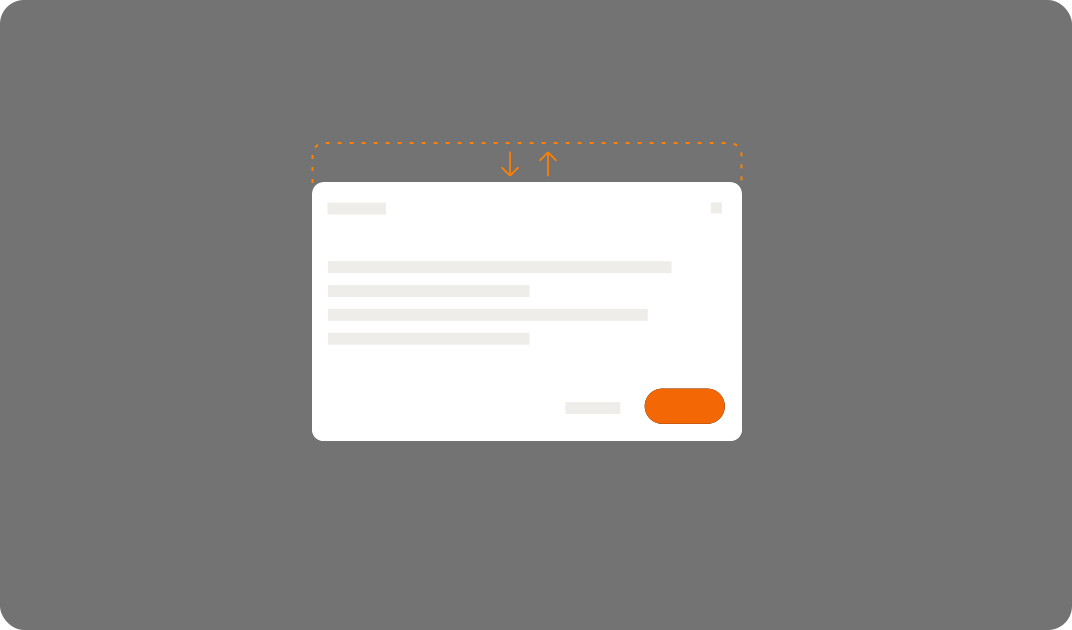
Illustrates the movement taking place when a modal enters and exit from view. You can see an animated example of this component here.
Enter transition
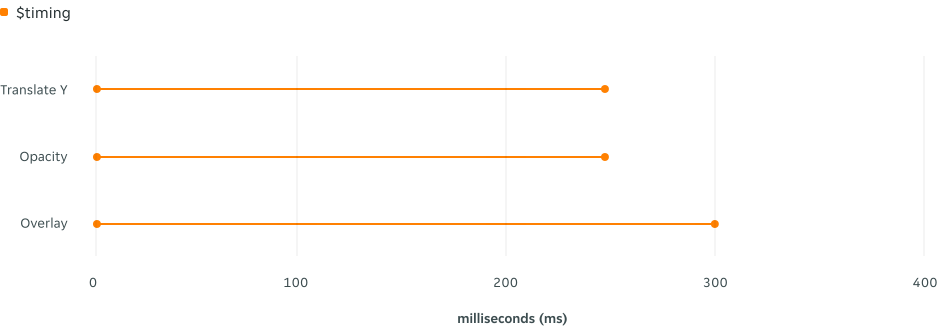
When a modal loads into view, it uses $enter-fade-slide. It moves down 40px on the Y axis from it’s starting point, regardless of if the modal is pinned at the top or centre. The opacity starts at 0% and increases to 100%.
| Property | Cubic Bezier | Easing token | Notes |
|---|---|---|---|
| Translate Y | (.45, 0, .55, 1) | $easing-functional | Moves down 40px |
| Opacity | (.45, 0, .55, 1) | $easing-functional | Modal gently fades in |
| Overlay | (.45, 0, .55, 1) | $easing-functional | Overlay / skrim gently fades in |
Exit transition
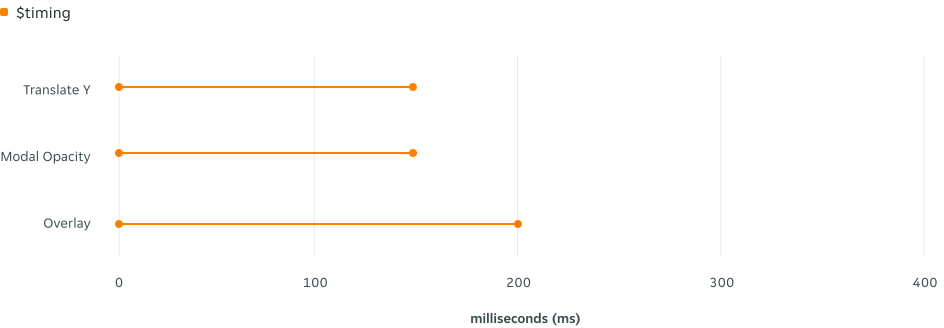
When a modal is dismissed, it uses $exit-fade-slide. It moves up 40px on the Y axis from it’s starting point, regardless of if the modal is pinned at the top or centre. The opacity starts at 100% and decreases to 0%. The exit transition is always faster.
| Property | Cubic Bezier | Easing token | Notes |
|---|---|---|---|
| Translate Y | (.45, 0, .55, 1) | $easing-functional | Moves up 40px |
| Opacity | (.45, 0, .55, 1) | $easing-functional | Modal gently fades out |
| Overlay | (.45, 0, .55, 1) | $easing-functional | Overlay / skrim gently fades out |